
Archive of the Gamebuino Classic forum (2014-2018), rebuilt from the pages kept by the Wayback Machine: only part of the topics and pages were captured. Read-only. Removal on request: hi@gamebuino.com.
I can not compile the bootloader
jackB Wed Jul 23, 2014 7:40 pm
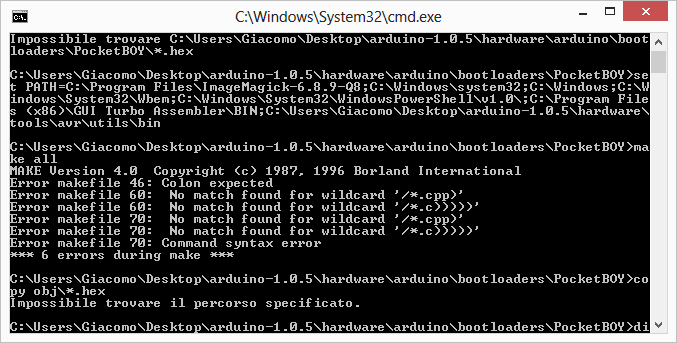
I can not compile the bootloader with the makefile :(
it reports the following errors:
it reports the following errors:
- Error.png (22.74 KiB) Viewed 1279 times
Myndale Thu Aug 07, 2014 11:16 am
Hi,
first of all make sure you're in the correct Gamebuino folder. The output that you've posted shows you're in a folder called PocketBOY, have you renamed it?
Next, it looks like your build process is failing because you have the Borland make utility in your path. The Gamebuino folder has a batch file called build.bat with this as the first line:
First of all you'll need to change the path to the location of your arduino folder. Next, you should probably move it to the front so that it gets chosen before everything else, i.e.:
Let me know if you continue to have any problems.
first of all make sure you're in the correct Gamebuino folder. The output that you've posted shows you're in a folder called PocketBOY, have you renamed it?
Next, it looks like your build process is failing because you have the Borland make utility in your path. The Gamebuino folder has a batch file called build.bat with this as the first line:
- Code: Select all
set PATH=%PATH%;C:\arduino-1.0.5\hardware\tools\avr\utils\bin
First of all you'll need to change the path to the location of your arduino folder. Next, you should probably move it to the front so that it gets chosen before everything else, i.e.:
- Code: Select all
set PATH=C:\arduino-1.0.5\hardware\tools\avr\utils\bin;%PATH%
Let me know if you continue to have any problems.
treflip Thu Aug 07, 2014 2:07 pm
I also can't compile the bootloader using the makefile. I posted it here but didn't get an answer. :(
I did like you said and changed the directories in the bat file and makefile but I still get the following error:
the line 51 contains: .PHONY: all
not sure what separator it's looking for... :{
Thanks!
I did like you said and changed the directories in the bat file and makefile but I still get the following error:
- Code: Select all
makefile:51 *** missing separator. Stop.
the line 51 contains: .PHONY: all
not sure what separator it's looking for... :{
Thanks!
jackB Sat Aug 09, 2014 12:50 pm
I solved the problem
Thanks
Thanks
rodot Sat Aug 09, 2014 12:58 pm
Could you please tell us how, just in case someone has the same problem?
spunky Thu Mar 03, 2016 11:34 am
- bootloader error.png (45.67 KiB) Viewed 921 times
spunky Thu Mar 03, 2016 11:49 am
- bootloader error.png (103.26 KiB) Viewed 921 times
spunky Thu Mar 03, 2016 1:39 pm
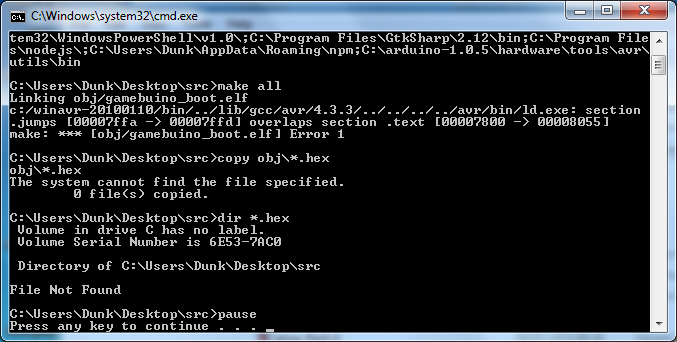
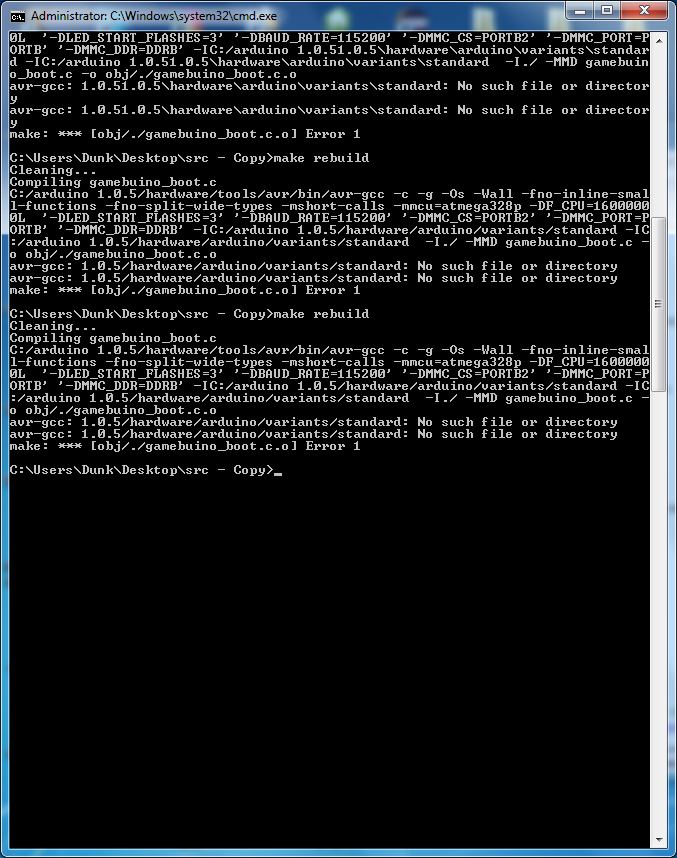
@jackb how did you solver bootloader issue
Sorunome Sun Mar 13, 2016 5:13 pm
Somebody else on github had the same explanation, so i'll just link that thread as I provided a solution to not being able to compile the bootloader there: https://github.com/Rodot/Gamebuino/issues/18