
Archive of the Gamebuino Classic forum (2014-2018), rebuilt from the pages kept by the Wayback Machine: only part of the topics and pages were captured. Read-only. Removal on request: hi@gamebuino.com.
Web Based Gamebuino Emulator / Mobile App
blakewford Tue Oct 21, 2014 4:30 am
I have spent the past year or so working on a JavaScript based AVR simulator.
Because the code is pure JS it can be easily consumed by web pages, offline browser applications, and mobile apps.
https://play.google.com/store/apps/deta ... boardmicro
https://chrome.google.com/webstore/deta ... dbpmgdmnnl
http://www.starlo.org/atmega32u4.html
Recently, I have started supporting the ATmega328 and the Nokia screen used in the Gamebuino.
This is very early stuff, but my nightly builds will be placed here:
http://starlo.org/atmega328.html
If I can get the screen / API support mature enough, I will create an Android phone application as well. For now, I am focused on running the a_Hello example that is sourced on GitHub. No thought has been put into sound yet, sorry.
Because the code is pure JS it can be easily consumed by web pages, offline browser applications, and mobile apps.
https://play.google.com/store/apps/deta ... boardmicro
https://chrome.google.com/webstore/deta ... dbpmgdmnnl
http://www.starlo.org/atmega32u4.html
Recently, I have started supporting the ATmega328 and the Nokia screen used in the Gamebuino.
This is very early stuff, but my nightly builds will be placed here:
http://starlo.org/atmega328.html
If I can get the screen / API support mature enough, I will create an Android phone application as well. For now, I am focused on running the a_Hello example that is sourced on GitHub. No thought has been put into sound yet, sorry.
Skyrunner65 Mon Nov 03, 2014 12:27 am
Amazing!
I think the software is way more powerful than the hardware, so maybe Rodot should make the "Gamebuino Prism".
(obvious nod to Game Boy Color is obvious)
I think the software is way more powerful than the hardware, so maybe Rodot should make the "Gamebuino Prism".
(obvious nod to Game Boy Color is obvious)
Sushi Sun Nov 09, 2014 10:16 pm
I love the name! Prism... It's so... dreamy... but anyway, TO PROTECT THE WORLD FROM DEVASTATION, TO UNITE ALL PEOPLE WITHIN OUR NATION, TO DENOUNCE THE EVILS OF TRUTH AND LOVE, TO EXTEND OUR REACH TO THE STARS ABOVE, we must consider backwards compatibility...
blakewford Wed Nov 19, 2014 3:50 am
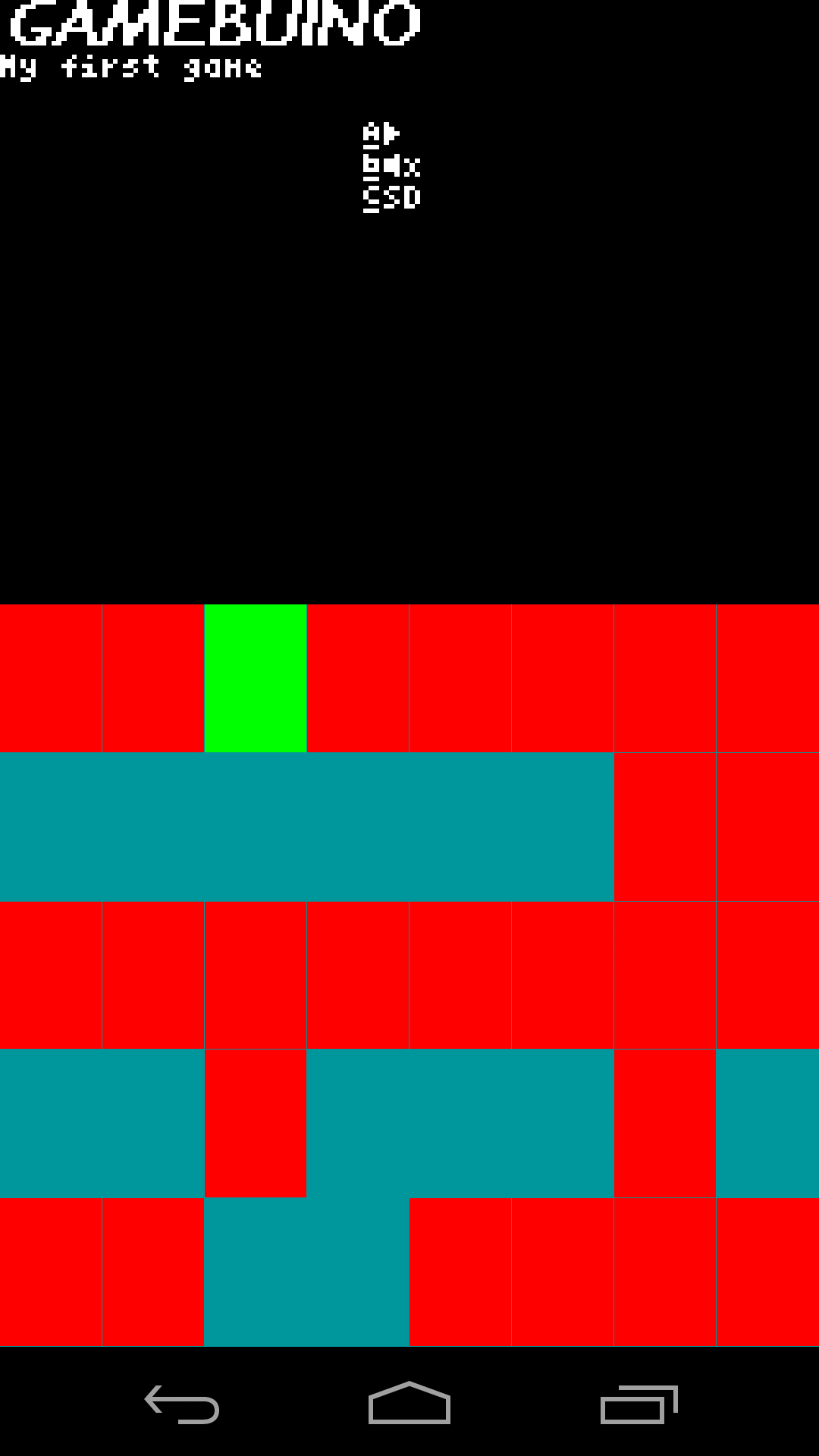
Here is a quick hack of the code running in my current Android app's shell on my Nexus 5.
Nightly page is still being updated.
Nightly page is still being updated.
- Gamebuino.png (17.29 KiB) Viewed 80810 times
Sushi Thu Nov 20, 2014 1:14 am
Ooh, that's quite nice. Is it actually functional? Do you have onscreen buttons to interact with it?
blakewford Thu Nov 20, 2014 5:32 am
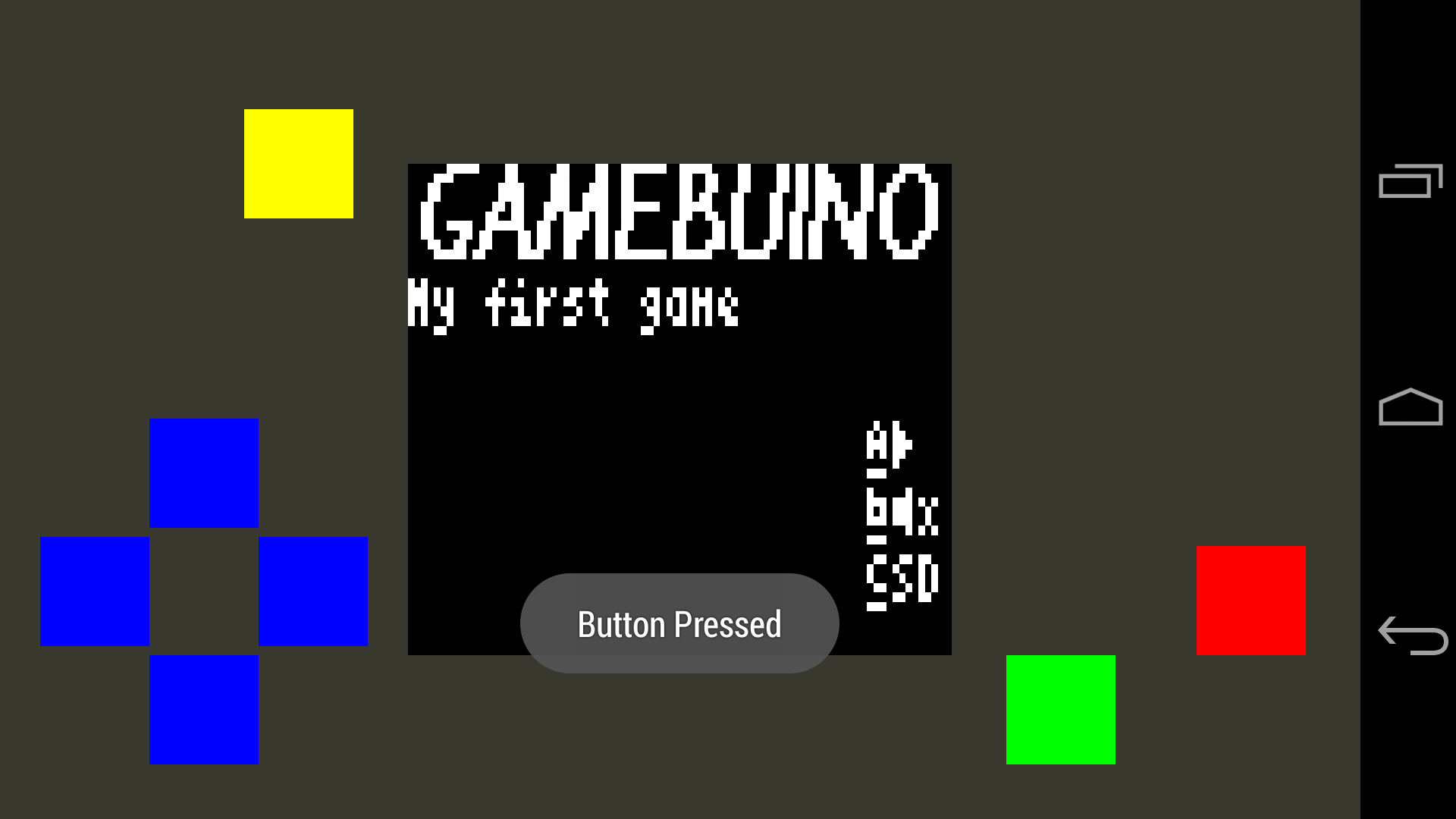
Here is a screen capture of the current committed version on GitHub running a_Hello.
Potentially, you could build it, but I am not ready to distribute the code in Android form yet.
Buttons "work" in the posted web based nightly build, but Android only has stubs right now.
Potentially, you could build it, but I am not ready to distribute the code in Android form yet.
Buttons "work" in the posted web based nightly build, but Android only has stubs right now.
- GameDroid.png (29.44 KiB) Viewed 80784 times
Myndale Sat Nov 22, 2014 7:39 am
Nice work, looking forward to seeing how well this performs on my S4. Are you writing the AVR emulation code yourself or is it based on an existing lib?
blakewford Sat Nov 22, 2014 6:26 pm
The AVR library is a from scratch project I have built out over the past year or so.
Here is the first APK. Many failures, but it will give you an idea. I would love a screenshot running on anything other than a Nexus 5.
There is a serious screen refresh issue that causes artifacting, so nothing is really playable though I have been running BlocksBuino, a_Hello, b_Bouncing, and a few others for testing.
The app is going to show up as / conflict with BoardMicro.
Here is the first APK. Many failures, but it will give you an idea. I would love a screenshot running on anything other than a Nexus 5.
There is a serious screen refresh issue that causes artifacting, so nothing is really playable though I have been running BlocksBuino, a_Hello, b_Bouncing, and a few others for testing.
The app is going to show up as / conflict with BoardMicro.
blakewford Sat Nov 22, 2014 9:22 pm
Updated RetroMicro link
https://play.google.com/store/apps/deta ... .gamebuino
https://play.google.com/store/apps/deta ... .gamebuino
erico Sat Nov 22, 2014 10:25 pm
Quick tested o a galaxy note II.
Installs fine.
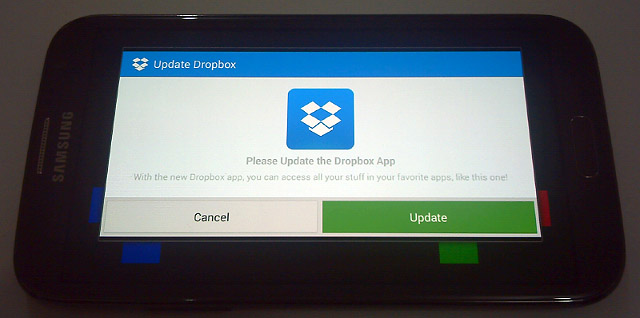
Upon running the app, here it asks to update dropbox, image 01.
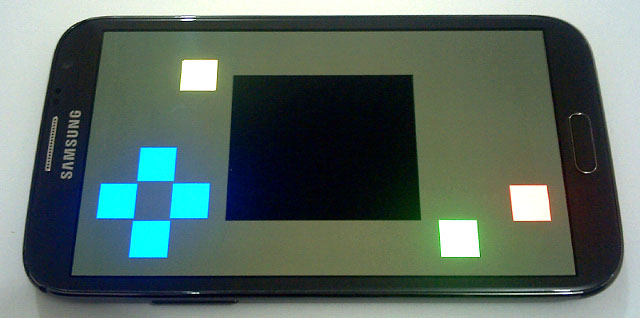
Clicking cancel, the interface appears as in image 02.
Buttons don´t work, nothing pops on screen.
I suppose it would try to connect to dropbox to download the test application/game?
Installs fine.
Upon running the app, here it asks to update dropbox, image 01.
- 01.jpg (58.44 KiB) Viewed 80724 times
Clicking cancel, the interface appears as in image 02.
- 02.jpg (52.87 KiB) Viewed 80724 times
Buttons don´t work, nothing pops on screen.
I suppose it would try to connect to dropbox to download the test application/game?
blakewford Sat Feb 28, 2015 4:12 am
I've been thinking of how to respond to all of this for a few days.
For starters, while my project had a mobile direction, I do not want to limit it to just Android, so that's why I am sticking to the Dropbox strategy.
As far as ArduindDroid and direct runs you would have to ask its developer for more features, like I did on Google Play. He seemed open to it, though I understand conflicting priorities in app development.
Writing a from scratch C/C++ app using SDL is not on my radar, and I am not super interested in starting that project. I'm sure the community would welcome another emulator if you wanted to start a new project.
On a related note, I am doing a quick experiment rewriting part of the AVR CPU simulator in C++. This serves two purposes: I assume it will be easier to iron out bugs in a desktop build / test bench and I want to see if I can get more javascript performance from an emscripten asm.js compile. I'm not thrilled with my 1mhz results on mobile. But I stress that this is an experiment and may never see the light of day. If my initial tests go well, I intended to branch the code as a separate project on GitHub. Perhaps this could one day power your SDL emulator.
One way or another, the final product of the core will likely always be js. There already exist plenty of C implementations of an AVR processor. For reference, I have at least a years worth of work hours(2080) into this project, most in the avrcore.js file.
Finally, I'm really interested in custom screen resolution s, because I an trying to leverage existing Atduino / Gamebuino software. Without drivers to power them, custom screen sizes / resolutions just do not make sense in my mind.
For starters, while my project had a mobile direction, I do not want to limit it to just Android, so that's why I am sticking to the Dropbox strategy.
As far as ArduindDroid and direct runs you would have to ask its developer for more features, like I did on Google Play. He seemed open to it, though I understand conflicting priorities in app development.
Writing a from scratch C/C++ app using SDL is not on my radar, and I am not super interested in starting that project. I'm sure the community would welcome another emulator if you wanted to start a new project.
On a related note, I am doing a quick experiment rewriting part of the AVR CPU simulator in C++. This serves two purposes: I assume it will be easier to iron out bugs in a desktop build / test bench and I want to see if I can get more javascript performance from an emscripten asm.js compile. I'm not thrilled with my 1mhz results on mobile. But I stress that this is an experiment and may never see the light of day. If my initial tests go well, I intended to branch the code as a separate project on GitHub. Perhaps this could one day power your SDL emulator.
One way or another, the final product of the core will likely always be js. There already exist plenty of C implementations of an AVR processor. For reference, I have at least a years worth of work hours(2080) into this project, most in the avrcore.js file.
Finally, I'm really interested in custom screen resolution s, because I an trying to leverage existing Atduino / Gamebuino software. Without drivers to power them, custom screen sizes / resolutions just do not make sense in my mind.
blakewford Sat Mar 07, 2015 1:31 pm
I decided to go ahead with the C/C++ port of avrcore.js.
https://github.com/blakewford/avrcore
I imagine I will still do occasional bug fixes / minor feature improvements to RetroMicro, but in the short term I am going to devote most of my time to building out this new component. Once the new piece is battle ready, I will reintegrate it with the RetroMicro source.
For those interested, here is my justification.
At the start of the project, I made a deliberate choice to build the simulated CPU in pure Javascript. The bulk of my skill actually lies in C/C++, but I knew that various forms of Javascipt / Native interop existed and at the time my primary interest was extreme portability. To a large degree that goal has been accomplished as I regularly test the core unmodified per platform on Chrome and Firefox for a decent set of disparate devices as mentioned earlier in the forum. This has helped me define reasonably solid interfaces between the CPU and UI layers which I will maintain through the transition to the new CPU build.
Where this strategy sort of fell apart for me is performance. Historically, I started creating an ATMega32u4 simulator which only ran code generated from avr-gcc, then I moved over to support code compiled through the Arduino IDE, and finally I added support for the ATMega328 / Gamebuino. The Arduino projects that run on my software stack demonstrate well, but the game engine for the Gamebuino taxes the real hardware in a way that my current stack just can't stand up to. Due to the history of the project and the lack of a performance bound use case it took me awhile to find / accept this issue. For reference, most targets I run currently peak at 1Mhz simulation.
I have been looking into resolutions for awhile now, and I cannot find any straightforward pure Javascript solutions. Granted I am no Javascript expert, but I have been tracking and improving relative performance since the start of the project. For instance, I regularly run the Google Closure Compiler on my source and merge the changes. Additionally I fix any performance related warnings from the Developer tools available in Chrome(Like breaking up the large instruction switch statement into 2 switch statements). This has the downside of occasionally making the code less human readable, but the performance has increased significantly over time. On rarer and more risky occasions, I look for instruction patterns in the compiled source of a .hex file and make assumptions about what that code intends to do(timers / interrupts) and then make performance based choices not dictated to the engine by the coded instructions. I would sum all of these techniques up as hacks and tricks which I would prefer not to have to implement, but without them my code could not run fast enough to represent even the simplest Gamebuino title.
I have been evaluating another Javascript hat trick, asm.js, in an effort to keep my software stack sane. In short this technology converts C/C++ code into Javascript, presumably with all of the best available tips and tricks baked into the final product. In order to do this evaluation, I had to rewrite a small piece of avrcore.js in C. From here I evaluated both the current implementation and the proposed using this simple program.
#include <avr/io.h>
int
main (void)
{
//Set as output pin
DDRB = _BV (3);
//Write value
PORTB = 0x1;
return 0;
}
It takes roughly 10 instructions to run this entire program. From this I generated a series of performance metrics. For the current software stack there is little difference between Chrome and Firefox, ~30 milliseconds on my test machines. With asm.js it is about the same on Chrome but ~10 milliseconds on Firefox. Here's my take away. I am not sure how familiar the audience is with various browser wars, but at times it can be pretty crazy. The morale of the story for my purposes is not to pursue anything to engine specific: V8, Nitro, Gecko, etc. The asm.js project has some adoption in other browsers, but for my use case I am not seeing the benefits cross platform. Also even if all of the platforms saw similar Firefox levels of performance increase that would only put my primary test machines running in the ~3Mhz range when I am aiming for 16. So where does this leave me?
I currently support three primary variants Desktop, Android, and HTML5. This helps me fill in strategic gaps with the other emulators, Simbuino and gbsim. To keep my niche I would like to keep servicing all of these in about the same way that I am now. Product level Android support, Good HTML5 support(My prototyping place, iOS, OSX, FFOS, Tizen, BBOS, other???), and automated test level support for Desktop. After running a series of tests, It is my belief that my best course of action is to do the work of building a native library for the Desktop and Android releases while deploying the asm.js solution to service the web. Some numbers with the test case above using the new stack.
Javascript ~30 milliseconds
Desktop(native) ~140 microseconds
Android(native) ~4 milliseconds (Snapdragon S3, circa 2011)
No sure how these numbers will scale, but I was interested in documenting them. There is too much value in giving up on js in the Desktop / Android usecases not to do it. I ran this test on an older Android device that I have rooted in order easily run custom executable files, so the performance on my Nexus 5 is likely much better.
This is why I am redoing a large subset of completed work in the CPU and taking break from more obvious features. As a bonus certain asm.js ready browsers will also see performance gains albeit less significant. For a period of time, I may make the Android build CPU implementation switchable.
Added bonus. If the Simbuino and gbsim devs are interested in contributing to the new from scratch CPU core perhaps we could now all share a common source base?
https://github.com/blakewford/avrcore
I imagine I will still do occasional bug fixes / minor feature improvements to RetroMicro, but in the short term I am going to devote most of my time to building out this new component. Once the new piece is battle ready, I will reintegrate it with the RetroMicro source.
For those interested, here is my justification.
At the start of the project, I made a deliberate choice to build the simulated CPU in pure Javascript. The bulk of my skill actually lies in C/C++, but I knew that various forms of Javascipt / Native interop existed and at the time my primary interest was extreme portability. To a large degree that goal has been accomplished as I regularly test the core unmodified per platform on Chrome and Firefox for a decent set of disparate devices as mentioned earlier in the forum. This has helped me define reasonably solid interfaces between the CPU and UI layers which I will maintain through the transition to the new CPU build.
Where this strategy sort of fell apart for me is performance. Historically, I started creating an ATMega32u4 simulator which only ran code generated from avr-gcc, then I moved over to support code compiled through the Arduino IDE, and finally I added support for the ATMega328 / Gamebuino. The Arduino projects that run on my software stack demonstrate well, but the game engine for the Gamebuino taxes the real hardware in a way that my current stack just can't stand up to. Due to the history of the project and the lack of a performance bound use case it took me awhile to find / accept this issue. For reference, most targets I run currently peak at 1Mhz simulation.
I have been looking into resolutions for awhile now, and I cannot find any straightforward pure Javascript solutions. Granted I am no Javascript expert, but I have been tracking and improving relative performance since the start of the project. For instance, I regularly run the Google Closure Compiler on my source and merge the changes. Additionally I fix any performance related warnings from the Developer tools available in Chrome(Like breaking up the large instruction switch statement into 2 switch statements). This has the downside of occasionally making the code less human readable, but the performance has increased significantly over time. On rarer and more risky occasions, I look for instruction patterns in the compiled source of a .hex file and make assumptions about what that code intends to do(timers / interrupts) and then make performance based choices not dictated to the engine by the coded instructions. I would sum all of these techniques up as hacks and tricks which I would prefer not to have to implement, but without them my code could not run fast enough to represent even the simplest Gamebuino title.
I have been evaluating another Javascript hat trick, asm.js, in an effort to keep my software stack sane. In short this technology converts C/C++ code into Javascript, presumably with all of the best available tips and tricks baked into the final product. In order to do this evaluation, I had to rewrite a small piece of avrcore.js in C. From here I evaluated both the current implementation and the proposed using this simple program.
#include <avr/io.h>
int
main (void)
{
//Set as output pin
DDRB = _BV (3);
//Write value
PORTB = 0x1;
return 0;
}
It takes roughly 10 instructions to run this entire program. From this I generated a series of performance metrics. For the current software stack there is little difference between Chrome and Firefox, ~30 milliseconds on my test machines. With asm.js it is about the same on Chrome but ~10 milliseconds on Firefox. Here's my take away. I am not sure how familiar the audience is with various browser wars, but at times it can be pretty crazy. The morale of the story for my purposes is not to pursue anything to engine specific: V8, Nitro, Gecko, etc. The asm.js project has some adoption in other browsers, but for my use case I am not seeing the benefits cross platform. Also even if all of the platforms saw similar Firefox levels of performance increase that would only put my primary test machines running in the ~3Mhz range when I am aiming for 16. So where does this leave me?
I currently support three primary variants Desktop, Android, and HTML5. This helps me fill in strategic gaps with the other emulators, Simbuino and gbsim. To keep my niche I would like to keep servicing all of these in about the same way that I am now. Product level Android support, Good HTML5 support(My prototyping place, iOS, OSX, FFOS, Tizen, BBOS, other???), and automated test level support for Desktop. After running a series of tests, It is my belief that my best course of action is to do the work of building a native library for the Desktop and Android releases while deploying the asm.js solution to service the web. Some numbers with the test case above using the new stack.
Javascript ~30 milliseconds
Desktop(native) ~140 microseconds
Android(native) ~4 milliseconds (Snapdragon S3, circa 2011)
No sure how these numbers will scale, but I was interested in documenting them. There is too much value in giving up on js in the Desktop / Android usecases not to do it. I ran this test on an older Android device that I have rooted in order easily run custom executable files, so the performance on my Nexus 5 is likely much better.
This is why I am redoing a large subset of completed work in the CPU and taking break from more obvious features. As a bonus certain asm.js ready browsers will also see performance gains albeit less significant. For a period of time, I may make the Android build CPU implementation switchable.
Added bonus. If the Simbuino and gbsim devs are interested in contributing to the new from scratch CPU core perhaps we could now all share a common source base?
Myndale Sat Mar 07, 2015 9:03 pm
Very interesting read!
Good idea with the AVR simulation code experiment, it should hopefully give you a useful code base that would be much easier to profile. I would be wary, though, of potentially misleading indications of where the performance issues really lie due to the compiler being able to make assumptions about the target platform that can't be done in managed code. Take for example your AVR core's fetch function, which is currently a large switch statement. If you were to implement that in C++ then I would expect any compiler worth its salt to implement it with a jump table, but from my own experience with Android I wouldn't rely on that or any other any behaviour from a mobile Javascript implementation. I was even hesitant to make this assumption with Simbuino, and manually implemented my own inner loop using a function handler LUT just to be sure:
I've msg'd you about this offline.
Good idea with the AVR simulation code experiment, it should hopefully give you a useful code base that would be much easier to profile. I would be wary, though, of potentially misleading indications of where the performance issues really lie due to the compiler being able to make assumptions about the target platform that can't be done in managed code. Take for example your AVR core's fetch function, which is currently a large switch statement. If you were to implement that in C++ then I would expect any compiler worth its salt to implement it with a jump table, but from my own experience with Android I wouldn't rely on that or any other any behaviour from a mobile Javascript implementation. I was even hesitant to make this assumption with Simbuino, and manually implemented my own inner loop using a function handler LUT just to be sure:
- Code: Select all
      public static void Step()
      {
         // if any timers or interrupts have triggered then go take care of them
         if (AtmelContext.Clock >= AtmelContext.NextTimerEvent)
            UpdateTimers();
         if (AtmelContext.InterruptPending && CheckInterrupts())
         {
            AtmelContext.UpdateInterruptFlags();
            return;
         }

         // get the current op code and call its handler
         var opCode = AtmelContext.Flash[AtmelContext.PC];
         var handler = OpCodeMap[opCode];
         var cycles = handler(opCode);

         // update the clock and PC (unless the op code modified it itself)
         AtmelContext.Clock += cycles;
         if (!PCModifyMap[opCode])
            AtmelContext.PC += OpCodeSizes[opCode];
         if (AtmelContext.PC >= AtmelContext.Flash.Length)
            AtmelContext.PC %= AtmelContext.Flash.Length;
      }
blakewford wrote:If the Simbuino and gbsim devs are interested in contributing to the new from scratch CPU core perhaps we could now all share a common source base?.
I've msg'd you about this offline.
jonnection Sat Mar 07, 2015 10:47 pm
Allow me to butt in again with a stupid question from someone who designs plumbing for living.
A hex file is avr assembly = static code. Then you take it to a dynamic runtime java compiler.
Stupid q 1: if all code is interpreted from avr bytecode, how would it even be possible for a java jit to optimize?
Stupid q 2: why not translate static avr bytecode directly to static java bytecode before runtime, instead of interpreting at runtime?
I never use java so i might not make a lot of sense.
A hex file is avr assembly = static code. Then you take it to a dynamic runtime java compiler.
Stupid q 1: if all code is interpreted from avr bytecode, how would it even be possible for a java jit to optimize?
Stupid q 2: why not translate static avr bytecode directly to static java bytecode before runtime, instead of interpreting at runtime?
I never use java so i might not make a lot of sense.
jonnection Sat Mar 07, 2015 11:23 pm
Now that I really think about it I kind of see why it would be very difficult to do. For starters you'd have to control execution speed somehow. Maybe java+native core is indeed he only option here. Just thinking aloud, about things I really know very little about.
Myndale Sun Mar 08, 2015 12:15 am
Those aren't stupid questions at all, this is exactly the kinds of things the developers of emulators do.
Converting the static HEX files into native code at run-time isn't always possible. In the case of Simbuino, for example, all the op-code handlers are written in C#. I currently burn a considerable number of cycles figuring out at run-time which registers each op-code is working with, and a pre-generated routine for each op code that hard-codes those constants would definitely be faster but I have no way of compiling that C# into CLR byte code in the app. I'd have to re-write all of my handlers and hand-code them in byte code myself....certainly possible, but not high on my priority list at the moment. blakewford would find this much easier though because javascript can generate and run its own script, but he's always going to be dependent on the (often crappy) browser to then convert that script into efficient native code afterwards. In both C# and Java though there areadditional security issues that may prevent this from working in certain cases, mainly to stop somebody sneaking malicious code into an otherwise innocuous application.
With regards to your first question there is a lot more going on than simulation of the core. The AVR code is, as you say, fixed and cannot be optimized further (actually technically this isn't always true, but that's another area). But in addition to the core and the overhead of running it you've also got a number of fairly complex timers that are constantly running, interrupts that are being fired at random times from all over the system, the i2C and SPI buses that are sending data all over the place and of course the simulation of the various peripherals.
Converting the static HEX files into native code at run-time isn't always possible. In the case of Simbuino, for example, all the op-code handlers are written in C#. I currently burn a considerable number of cycles figuring out at run-time which registers each op-code is working with, and a pre-generated routine for each op code that hard-codes those constants would definitely be faster but I have no way of compiling that C# into CLR byte code in the app. I'd have to re-write all of my handlers and hand-code them in byte code myself....certainly possible, but not high on my priority list at the moment. blakewford would find this much easier though because javascript can generate and run its own script, but he's always going to be dependent on the (often crappy) browser to then convert that script into efficient native code afterwards. In both C# and Java though there areadditional security issues that may prevent this from working in certain cases, mainly to stop somebody sneaking malicious code into an otherwise innocuous application.
With regards to your first question there is a lot more going on than simulation of the core. The AVR code is, as you say, fixed and cannot be optimized further (actually technically this isn't always true, but that's another area). But in addition to the core and the overhead of running it you've also got a number of fairly complex timers that are constantly running, interrupts that are being fired at random times from all over the system, the i2C and SPI buses that are sending data all over the place and of course the simulation of the various peripherals.
blakewford Tue Mar 24, 2015 2:33 am
I figured I should give a quick update since it has been about two weeks from the last. I have integrated the new core into the main application along with a switch to toggle between the old pure Javascript implementation and the new C/C++ based backend. It is not turned on by default and it is only available by syncing and building the source.
As of now I have ~45 or so instruction implemented, not quite enough to make it through my basic screen test. However I am confident that everything will work, and that it is just a matter of time before I get the rest of the instruction set implemented. My goal is to have the bulk of the work done by May with minor updates like this in between now and then. In early testing I can see many improvements, but none are really ready to demo just yet.
I am going to do a phased roll out in early May, gradually shifting everything over to the new Javascript backend. Once the Web based and Android apps can stand up competently using the new JS code, I will begin migrating the Android app over to a pure native C library. I expect this to yield awesome performance improvements. I want to do the extra Javascript update to the Android app as I expect performance will improve significantly with little effort and I am unsure how long it will take to refactor the app to use a native library in place of the Javascript version it uses now.
As always any thoughts or suggestions are always welcome.
As of now I have ~45 or so instruction implemented, not quite enough to make it through my basic screen test. However I am confident that everything will work, and that it is just a matter of time before I get the rest of the instruction set implemented. My goal is to have the bulk of the work done by May with minor updates like this in between now and then. In early testing I can see many improvements, but none are really ready to demo just yet.
I am going to do a phased roll out in early May, gradually shifting everything over to the new Javascript backend. Once the Web based and Android apps can stand up competently using the new JS code, I will begin migrating the Android app over to a pure native C library. I expect this to yield awesome performance improvements. I want to do the extra Javascript update to the Android app as I expect performance will improve significantly with little effort and I am unsure how long it will take to refactor the app to use a native library in place of the Javascript version it uses now.
As always any thoughts or suggestions are always welcome.
blakewford Sat May 16, 2015 7:46 am
Seems like forever since I have posted.
I am still making progress, though less than I had hoped for. As of today, I can almost draw to the screen. I have had some work/life balance issues of late that stall speedier improvements. That being said, I am always on the lookout for co-developers, which leads me to the ultimate point of my post.
I will be exhibiting the apps at the Austin Maker Faire, promoting a petition to get some level of simulation included in Arduino Create, the upcoming web-based IDE. If interested in such a feature, please sign.
Petition and related information
https://t.co/9b7WhhHikH
Maker Faire Info
http://austinmakerfaire.com/maker/starlo/
I am still making progress, though less than I had hoped for. As of today, I can almost draw to the screen. I have had some work/life balance issues of late that stall speedier improvements. That being said, I am always on the lookout for co-developers, which leads me to the ultimate point of my post.
I will be exhibiting the apps at the Austin Maker Faire, promoting a petition to get some level of simulation included in Arduino Create, the upcoming web-based IDE. If interested in such a feature, please sign.
Petition and related information
https://t.co/9b7WhhHikH
Maker Faire Info
http://austinmakerfaire.com/maker/starlo/
Hark0 Sun May 17, 2015 5:05 am
Signed!
Hark0 Mon May 18, 2015 9:07 am
Hi guys!
Please sign a petition from @blakewford...
It's free, and fast (take around -1 min.)
;)
Please sign a petition from @blakewford...
It's free, and fast (take around -1 min.)
;)
blakewford Fri May 22, 2015 3:03 pm
I made a minor update to BoardMicro which will trickle down to RetroMicro in the next few days.
https://twitter.com/xlivewire/status/601761078964461569
In short, instead of being tied directly to Dropbox, you will also have the option to run some built in games.
The list so far is: BlockBuino, FxSynth, Conway, Hello, KillRace, Pong.
If anyone has suggestions of games that run well on RetroMicro I would be happy to consider them for inclusion.
This list will also serve as a guide to what is possible to emulate in my program. Any updates to the list, I plan to post here.
https://twitter.com/xlivewire/status/601761078964461569
In short, instead of being tied directly to Dropbox, you will also have the option to run some built in games.
The list so far is: BlockBuino, FxSynth, Conway, Hello, KillRace, Pong.
If anyone has suggestions of games that run well on RetroMicro I would be happy to consider them for inclusion.
This list will also serve as a guide to what is possible to emulate in my program. Any updates to the list, I plan to post here.
Hark0 Mon May 25, 2015 7:47 pm
GREAT NEW !!!
;)
;)
Quirby64 Mon May 25, 2015 11:30 pm
Ooh, this looks even better! Question, do you have a .apk for the mobile port? Because I want to use it and I don't have a smartphone yet, only a tablet (like I've said).
blakewford Wed Jun 03, 2015 7:47 am
I was hoping to facilitate side loading requests through the Amazon App Store. I have noticed in the past that BoardMicro can be downloaded successfully to a tablet through their front end despite settings built into the app directing them not to do so. Alas in their eyes RetroMicro "...can be used to facilitate the piracy or illegal download of content". My submission was rejected.
I tried to explain that I do not think this is possible given the open source nature of the gaming community and the unreasonable amount of effort it would take to create protected content on this platform. They have yet to respond to my rebuttal. I would like to handle tablet requests in this way, but it will take some time to determine their response.
I tried to explain that I do not think this is possible given the open source nature of the gaming community and the unreasonable amount of effort it would take to create protected content on this platform. They have yet to respond to my rebuttal. I would like to handle tablet requests in this way, but it will take some time to determine their response.
blakewford Wed Jun 03, 2015 8:10 am
Status update on the C backend. I decided to fork simavr and make an attempt at integrating it into my code. The first pass of that experiment was successful. I was able to bring up the title screen for several games. The next thing I need to get working is button input.
https://github.com/blakewford/simavr
I am excited about this for many reasons. simavr is the backend used by gbsim and has a reputation of quality. While fun for awhile, building your own AVR core from scratch is pretty tedious. As for doing it twice... you can imagine. Though it is early, I am already seeing some quality improvements. For instance, the UFO Race title screen loads where previously it did not.
Having a solid core speeds up the work I want to do on the debugger and native mobile versions exponentially. While full abandonment of my cores is still in question, I think it is pretty obvious for now that I will have them on the back burner. The only draw back is the lack of 32u4 support, which has no relevance here other that it is a consideration for me when planning / rolling out features. I have looked into this somewhat and my plan is to hack the functionality into my simavr fork for Esplora/Arduboy type device support. It likely won't be proper for upstream integration. For now however, I plan to focus on the easy win, Gamebuino controller and screen support.
https://github.com/blakewford/simavr
I am excited about this for many reasons. simavr is the backend used by gbsim and has a reputation of quality. While fun for awhile, building your own AVR core from scratch is pretty tedious. As for doing it twice... you can imagine. Though it is early, I am already seeing some quality improvements. For instance, the UFO Race title screen loads where previously it did not.
Having a solid core speeds up the work I want to do on the debugger and native mobile versions exponentially. While full abandonment of my cores is still in question, I think it is pretty obvious for now that I will have them on the back burner. The only draw back is the lack of 32u4 support, which has no relevance here other that it is a consideration for me when planning / rolling out features. I have looked into this somewhat and my plan is to hack the functionality into my simavr fork for Esplora/Arduboy type device support. It likely won't be proper for upstream integration. For now however, I plan to focus on the easy win, Gamebuino controller and screen support.
Hark0 Wed Jun 03, 2015 9:34 pm
Good!
Please continue excited!!!! ;)
i think you can make a very good app...
You know yet: all of my Android devices are available for all test that you need.
;)
Please continue excited!!!! ;)
i think you can make a very good app...
You know yet: all of my Android devices are available for all test that you need.
;)
blakewford Thu Jun 04, 2015 11:36 pm
Both the 32u4 and the 328 work. I will post links to the new hosted versions after I do a round of cleanup and uploading later tonight. I did a test button mapping and that seemed fine also. The debug functionality will take a hit for awhile, but I will built it back in soon enough.
Hark0 Fri Jun 05, 2015 8:21 am
HYPE! :P
blakewford Fri Jun 05, 2015 3:59 pm
Forgot to post. Web based is up.
http://starlo.org/blake/retromicro/
Be sure to check Use EMCC Backend prior to loading and fiddle with Batch Instructions based on the performance level of the device you are using: PC, mobile, etc...
http://starlo.org/blake/retromicro/
Be sure to check Use EMCC Backend prior to loading and fiddle with Batch Instructions based on the performance level of the device you are using: PC, mobile, etc...
blakewford Mon Jul 20, 2015 4:06 am
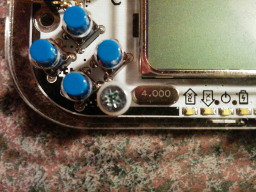
- Underclocked2.png (99.91 KiB) Viewed 4893 times
So I did something interesting today to confirm where I stand on Android support. Currently, I have seen the Javascript based version run at anywhere from ~2Mhz to 7Mhz highly dependent upon local settings and desktop processor speed. 7Mhz requires newer i7 processors. For Android, I have spent the last month or so aggressively trying to implement and optimize a native build. Alas for all my effort I can only pull out about 4Mhz using a combination of C++ paired with a Java based UI. The UI updates cost me about a Mhz, but even without I am sadly still unable to approach ~16Mhz.
To confirm my emulated clock speed I decided to underclock my Gamebuino. After doing so, the look and feel of code running on my Nexus 5 is actually surprisingly accurate. This leads me to push the project in a new direction. I feel like I can reasonably emulate some wearable projects(typically ~8Mhz or less), so I plan to focus in that direction for awhile. I will keep testing on new Android device generations to gauge processor upgrades, but honestly I have not seen amazing gains from a 2010 era device to my Nexus 5.
For now, awesomely accurate web based or Android based Gamebuino just isn't possible with the infrastructure I have built, but I find it likely I can do good elsewhere. I'd like to thank everyone for their appreciation. I won't be dropping Gamebuino support, just adjusting focus. If you have questions, concerns, or feel the need to contribute to the source in some way, I'll still be here.
Blake
Hark0 Mon Jul 20, 2015 11:37 am
Hi @Blake... you can send-me a APK file with FPS / debug info activated... and I test on my samsung S4 (rooted)...
hmmm How you are rendering? opengl? SDL?
;)
hmmm How you are rendering? opengl? SDL?
;)
Myndale Tue Jul 21, 2015 8:06 am
Thanks for all your work on this blakewford, it's been really interesting watching its development progress. I'm wondering if a maybe a viable Javascript emulator might have to resort to techniques completely different to what any of us have been doing so far in the existing emulators. You're always going to be hit hard by the fact that Javascript is a single-threaded VM, so the only way I can see any serious gains being made is by taking advantage of JIT compilation (specifically, on a per-instruction level). But if the target machine doesn't support that then, well, I'm not sure there's much more that can be done, at least not without resorting to native solutions.
blakewford Sun Aug 16, 2015 1:06 am
Thanks for all the positive feedback.
In a moment of shameless self promotion, if you are part of, or follow such things, I'd ask that you drop by and take a look at the Hackaday Prize 2015 page.
https://hackaday.io/project/6873-boardmicro
In a moment of shameless self promotion, if you are part of, or follow such things, I'd ask that you drop by and take a look at the Hackaday Prize 2015 page.
https://hackaday.io/project/6873-boardmicro
johncalvin Thu Sep 10, 2015 11:50 am
I can't express about your company not only using words. In reality, gamebuino has more experience to create mobile applications. I was amazed look at your application. I expect, you have to keep this good idea.
adekto Wed Sep 30, 2015 9:26 am
if you know how to port this, i got an apple dev licence i can put it up there for free
blakewford Mon Oct 05, 2015 3:09 am
I believe it to be fully possible to port, but I just don't have the time to figure it out at the moment. I could build it, but it would require significant UI work and it would most likely be rejected by Apple if you tried to put it in the App Store. While a version exists in Google Play, the app was rejected from the Amazon App Store for being an emulator that could potentially be used to pirate copyrighted material. I'm not really convinced there is a protected way to distribute content for the Gamebuino in the first case, but if Amazon is sticking to it I am confident Apple would as well.
superfreaky Wed Apr 06, 2016 11:54 pm
I haven't used Dropbox, but the examples are running horribly, unusable slow. I have a Google Nexus 4. It should run fine right?
blakewford Fri Apr 08, 2016 11:01 pm
It will always run slowly, check out this post in the thread history.
viewtopic.php?f=12&t=1381&start=59
viewtopic.php?f=12&t=1381&start=59
superfreaky Sat Apr 09, 2016 12:29 am
But is it really supposed to be least than 0.5 fps?